
Talking Tom & Friends: World
Outfit7 LimitedEducation
3.3239.00 Reviews
- Version
- 1.8.7.22692
- Installs
- 10.00M
- Age Rating
- Everyone
Screenshots
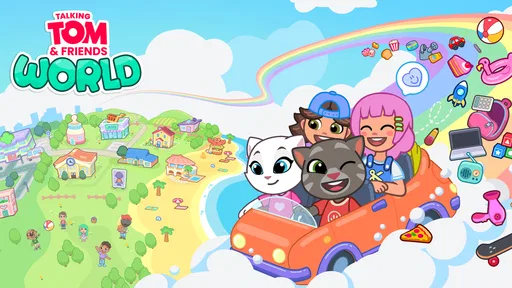
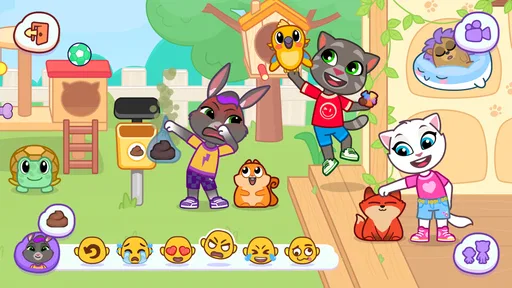
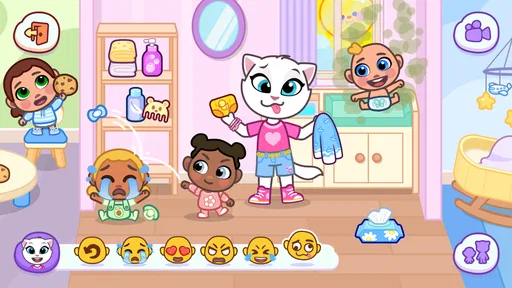
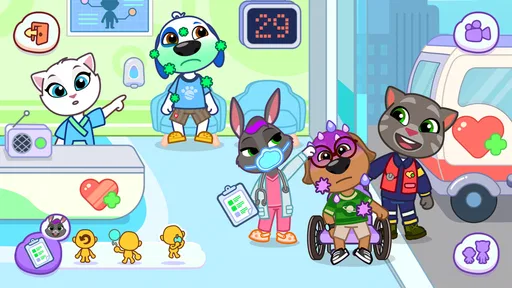
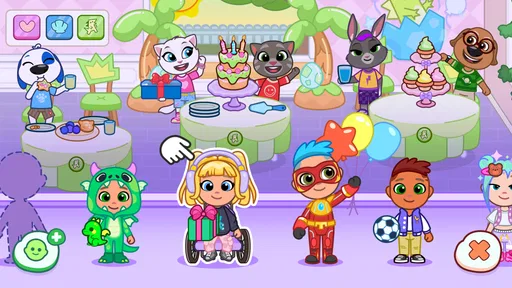
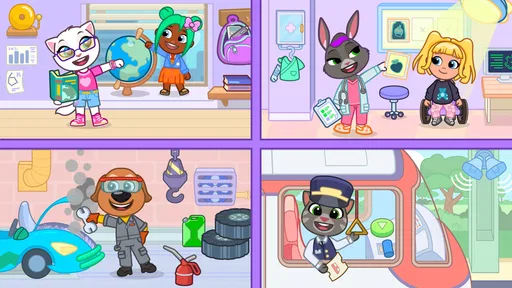
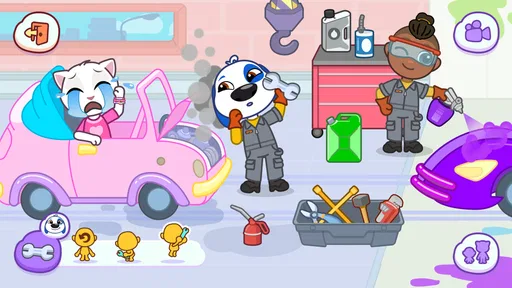
Our Review of Talking Tom & Friends: World
 Analysis by Appyee
Talking Tom & Friends: World is an education app from Outfit7 Limited that uses the familiar Talking Tom universe as a space for imagination, exploration, and simple play. I approached it less like a traditional lesson tool and more like a child-friendly digital world where a young user can invent little stories, move between activities, and spend time with recognizable characters. That distinction matters: its educational value comes mainly through guided discovery and creative engagement rather than through a formal curriculum.
After spending time with it, my first impression was that the app is easiest to understand when treated as a shared activity. A child can explore independently, but the best moments come when an adult asks what is happening, encourages a story, or helps decide what to try next. The experience is aimed at Everyone, so its tone is broad and accessible, although that does not mean every child will enjoy the same level of freedom or stimulation.
My main advice is to think of it as a connected play space, not a replacement for a focused learning app. If you want structured reading practice, mathematics exercises, or a quiet reference tool, another category of app will serve you better. If you want a familiar character world that can encourage pretend play during short mobile sessions, this one has a more convincing case.
How the connected world feels in everyday use
I find the connected-world aspect easiest to judge by looking at the whole routine: where a child starts, how an adult helps the play move along, and what remains worthwhile when the screen is put down. In the next section, I’ll focus on those handoffs and on a simple way to turn open-ended exploration into a story the child can carry into the rest of the day.
Network-dependent moments shape the rhythm
The biggest practical point is connectivity. Talking Tom & Friends: World feels designed around an online-aware mobile experience, so I would not plan a long journey around it without first checking how it behaves in the exact circumstances where it will be used. Network availability can affect how smoothly a connected world opens, refreshes, or presents its content. I would treat a stable connection as part of the intended setup rather than assuming it behaves like a fully self-contained offline toy.
This changes how I would use it with a child. At home, on a dependable Wi-Fi connection, it fits naturally into a short play period after school or before dinner. In a car, waiting room, or airport, I would test it beforehand instead of handing over the phone and discovering that the experience depends on a connection that is unavailable. That small preparation step avoids turning a calm activity into a troubleshooting session.
The connected design also gives the world a sense of being more than a single static screen. Even when the child is simply exploring, the app feels like something to revisit rather than a one-time puzzle pack. The trade-off is that the experience is less predictable than a downloaded coloring book or a conventional offline game. Parents who value absolute reliability may find that difference more important than the character appeal.
Another subtle point is that connectivity can influence attention. A child may begin with one imaginative activity and then become interested in whatever else is available in the world. That can be positive when the goal is exploration, but it can also make a short session less focused. I found it useful to set a simple intention first: tell a story, explore for a few minutes, or choose one activity together. Without that boundary, the open-ended format may feel busy rather than educational.
Why the app works better in brief mobile contexts
This is a mobile app, and its strongest setting is not a long, uninterrupted lesson. I would use it in small windows: while waiting for an appointment, during a quiet break at home, or as a shared activity when a child wants something familiar but not entirely passive. The Talking Tom setting gives the child an immediate point of recognition, which reduces the effort needed to explain what the app is supposed to be.
Short sessions also suit the educational angle. A parent can turn a few minutes of exploration into a conversation about characters, choices, sequence, or storytelling. For example, I would ask a child to describe what happened first, what the character might do next, and how the story could end differently. Those questions extract more value than simply watching the screen and moving from one interaction to another.
On a smaller phone, touch controls and visual details naturally have less room than they would on a tablet. I would choose a larger screen when two people are looking together, especially if the child is still developing precise touch control. A phone remains convenient for personal use, but it is not always the best format for a parent and child sitting side by side.
Battery and mobile data are also part of the real-world decision. A connected entertainment app can be a poor choice when the device is nearly empty or when the user is relying on a limited cellular plan. I would download or open it at home, check the experience before leaving, and avoid treating it as the only backup activity on a trip. That workflow is more dependable than assuming every part of the world will be ready at any moment.
The app is free to start, which makes it easy to try without committing money immediately. However, in-app purchases range from $0.59 to $299.99 per item, a very wide span that deserves adult attention. I would not leave purchasing decisions to a child, and I would review the device’s purchase protections before allowing independent play. The free entry point is helpful, but it should not be confused with a completely cost-free experience.
What happens when the connection or session fails
Connectivity problems are not always dramatic. Sometimes the issue is simply a slow start, a delayed transition, or a moment when the child is unsure whether to wait or tap again. With a young user, that uncertainty can quickly become frustration. My practical approach would be to close unnecessary apps, confirm the connection, and restart the app calmly rather than repeatedly tapping the same area.
I would also keep a non-connected alternative ready. A small drawing activity, a downloaded story, or a simple physical toy can prevent the app from carrying too much responsibility. This is especially important for travel, where a failed connection is harder to fix and a child may already be tired. The app can be a useful part of a travel plan, but I would not make it the entire plan.
Recovery is easier when the adult knows what the child was trying to do. If the child is building a story, invite them to retell it while the app is restarting. If they were exploring, ask them to predict what they will look for next. That turns a technical interruption into a small language exercise instead of a dead stop. It is a simple technique, but it makes the connected nature of the app less disruptive.
I would also avoid judging the app solely by one poor session caused by a weak network. At the same time, repeated connection friction is a valid reason to choose something else. The right question is not whether an occasional interruption is possible; it is whether the child and family can tolerate that interruption in the situations where the app will actually be used.
Using it without wasting mobile data
For data-conscious families, the safest routine is to use it primarily on trusted Wi-Fi and avoid making it a default cellular activity. I would open it at home, let the child explore there, and reserve mobile use for situations where the connection is reliable and the data allowance is comfortable. This is particularly sensible because the app’s appeal encourages repeat visits rather than a single short download-and-finish session.
Parents should also think about who controls the device. If a child is using a parent’s phone, a few spontaneous sessions may be harmless, but frequent play can become part of the phone’s normal data pattern. I would check usage occasionally and make the rules clear: Wi-Fi at home, short sessions away from home, and an adult present for purchases. Those rules are more useful than simply saying “be careful,” because a child can understand a routine.
There is another trade-off between convenience and control. Allowing the app to remain readily available makes it easy to offer a distraction, but it can also make the child reach for the same connected entertainment whenever there is a pause. I prefer to keep it as one option among several. Used this way, the app supports imaginative play without becoming the automatic answer to boredom.
The broad age rating makes the app approachable for family use, but age suitability is still personal. A preschool child may need help navigating and interpreting what is happening, while an older child may want more challenge than the experience provides. I would watch the first few sessions rather than assuming the age label answers every question about maturity, attention span, or independent use.
Educational value: where it helps and where it stops
I see the strongest learning potential in language, imagination, and social interaction. A child can describe scenes, invent dialogue, arrange events into a story, and explain why a character made a choice. These are worthwhile skills, but they depend heavily on how the app is used. Passive tapping will not automatically produce the same benefit as a parent asking questions or a child narrating the action.
That makes it different from a conventional education app with clearly defined exercises and visible progress. Those alternatives are better when a parent needs a specific outcome, such as practicing letter sounds or completing a sequence of number problems. Talking Tom & Friends: World is more flexible, but that flexibility also means the educational result is less measurable. I would choose it for creative engagement, not for tracking a lesson plan.
One useful routine is to let the child lead for a few minutes, then pause and ask for a recap. Another is to give a storytelling challenge: create a beginning, introduce a problem, and decide how the characters solve it. These prompts make the app more than a character showcase and work particularly well when the child enjoys talking about what they see.
It is also worth remembering that familiar characters can motivate a child who ignores a more serious-looking learning tool. That is a genuine strength. The weakness is that character familiarity may be enough to hold attention even when the child is not thinking deeply. I would measure success by the conversation and creativity around the app, not simply by how long the screen remains active.
Who should try it, and who should skip it
I would recommend giving it a try if your child already responds well to Talking Tom characters, enjoys pretend play, and benefits from a parent joining in occasionally. It is also a reasonable choice for families looking for a free starting point in the education category, provided they understand the connected nature of the experience and supervise purchases.
I would be more cautious if you need a dependable offline activity, strict academic progression, or a completely quiet interface. A child who becomes frustrated by waiting, switching between activities, or unexpected interruptions may do better with a self-contained puzzle or drawing app. Similarly, families with tight mobile-data limits should use it selectively rather than allowing unrestricted cellular play.
The app comes from Outfit7 Limited and has reached over 10 million installs, so it is clearly familiar to a large mobile audience. Its average rating is 3.2 from around 17 thousand ratings, which suggests a mixed reception rather than universal approval. I would read that as a reminder to match expectations carefully: the concept is appealing, but the open-ended and connected format will not suit every household.
On the technical side, the current version is 1.8.4.22602 and it requires Android 6.0 or later. The app is free, with optional purchases, and the Everyone age classification makes it easy to consider for family devices. Those details make trying it straightforward, but they do not remove the need for sensible supervision, especially where spending and network use are concerned.
My verdict on connectivity and daily usefulness
Talking Tom & Friends: World works best when I treat connectivity as part of the experience rather than an invisible background detail. At home on Wi-Fi, it can become a pleasant prompt for storytelling and shared exploration. On the move, it is useful only when I have checked the connection and prepared a backup. That is not a deal-breaker, but it changes where I would recommend using it.
Its strongest quality is the way a familiar character world can lower the barrier to imaginative play. Its main weakness is that the same open, connected design may feel less controlled than parents expect from an education app. The purchase range also means adults should establish device safeguards before handing it over.
My final recommendation is conditional but positive: try it for short, supervised sessions if you want creative play with an educational flavor. Use it to encourage narration, prediction, and conversation, not as a substitute for focused teaching. If your priority is offline reliability or measurable academic practice, choose a more specialized alternative. If your priority is a friendly world that can turn a spare few minutes into a child-led story, this app is worth a careful test.
Privacy and Permissions
See what permissions an app requests and how it handles your data.
- Identity
- find accounts on the device
- Contacts
- find accounts on the device
- Photos/Media/Files
- read the contents of your USB storage, modify or delete the contents of your USB storage
- Storage
- read the contents of your USB storage, modify or delete the contents of your USB storage
- Microphone
- record audio
- Other
- view network connections, full network access, run at startup, prevent device from sleeping, Google Play license check
Verdict
Strengths of Talking Tom & Friends: World
- Colorful 3D world is appealing to children and casual players.
- Familiar Talking Tom characters make the game instantly approachable.
- Simple controls are easy for younger players to understand.
- Frequent character interactions keep short play sessions entertaining.
- Exploration offers a relaxing, low-pressure experience for casual users.
Limitations of Talking Tom & Friends: World
- Many activities and items may require in-app purchases to unlock.
- Ads can interrupt gameplay, especially in the free version.
- The game may feel repetitive after completing the main activities.
- Performance can vary on older phones and tablets.
- Online features and purchases may require parental supervision.
Other Releases by Outfit7 Limited
View All
My Talking Angela
Casual4.2

My Talking Tom
Casual4.3

My Talking Tom 2: Pet Game
Casual4.3

Talking Tom: Hero Dash Run
Action4.3
Similar Picks in This Category
View All
Duolingo: Language Lessons
Duolingo4.7

Google Classroom
Google LLC2.8

Unacademy: Learn & Crack Exams
Unacademy3.2

Bible App for Kids
Life.Church4.4

Cake - Learn English & Korean
Cake Corp.4.7

Brainly: AI Homework Helper
Brainly4.5
Frequently Asked Questions
What is Talking Tom & Friends: World?
Talking Tom & Friends: World is a casual virtual-world game centered on the popular Talking Tom characters. Players can explore colorful locations, interact with Tom and his friends, complete simple activities, customize parts of the experience, and enjoy short mini-games. It is designed mainly for children and families, with an emphasis on playful exploration rather than complex strategy or difficult controls.
Is Talking Tom & Friends: World free to download and play?
The game can generally be downloaded for free, but some content may be supported by optional in-app purchases, advertisements, or premium features. Depending on the version and platform, certain outfits, items, areas, or activities may require payment. Before allowing a child to play, it is worth checking the store listing, device purchase settings, and parental controls to avoid accidental transactions.
Does the game require an internet connection?
Some parts of Talking Tom & Friends: World may work without a constant connection after installation, but online access can be needed for downloading additional content, receiving updates, displaying advertisements, synchronizing progress, or accessing selected features. Because requirements can change between updates and devices, users should check the current store description and test the game before relying on it during travel or in places without reliable internet.
Is Talking Tom & Friends: World suitable for children?
The game is aimed primarily at children and families, offering friendly characters, colorful environments, and simple interactions. However, parents should still review the age rating and supervise play, especially because free mobile games may include advertisements, optional purchases, or links to other content. Using device-level parental controls and disabling unauthorized purchases can make the experience safer for younger players.
What devices are compatible with Talking Tom & Friends: World?
Compatibility depends on the operating system, device model, available storage, and the version currently distributed through the Google Play Store or Apple App Store. Older phones and tablets may experience slower loading, reduced performance, or installation restrictions. Before downloading, check the official store page for the latest Android or iOS requirements and ensure the device has enough free space for the game and future updates.
